初投稿です。PDF ファイルの差分を確認したいときちょくちょくってありますよね。PDF で提供されるマニュアルの改訂版を確認するとき、どこが改訂されたのかがわからず困ってしまいます。そんなあなたにおすすめなのが diff-pdf です。PDF の差分をテキスト・画像の両面から知ることができます。GUI 表示はもちろん、CLI 環境で実行し結果を PDF ファイルとして出力もできます。便利ですね!
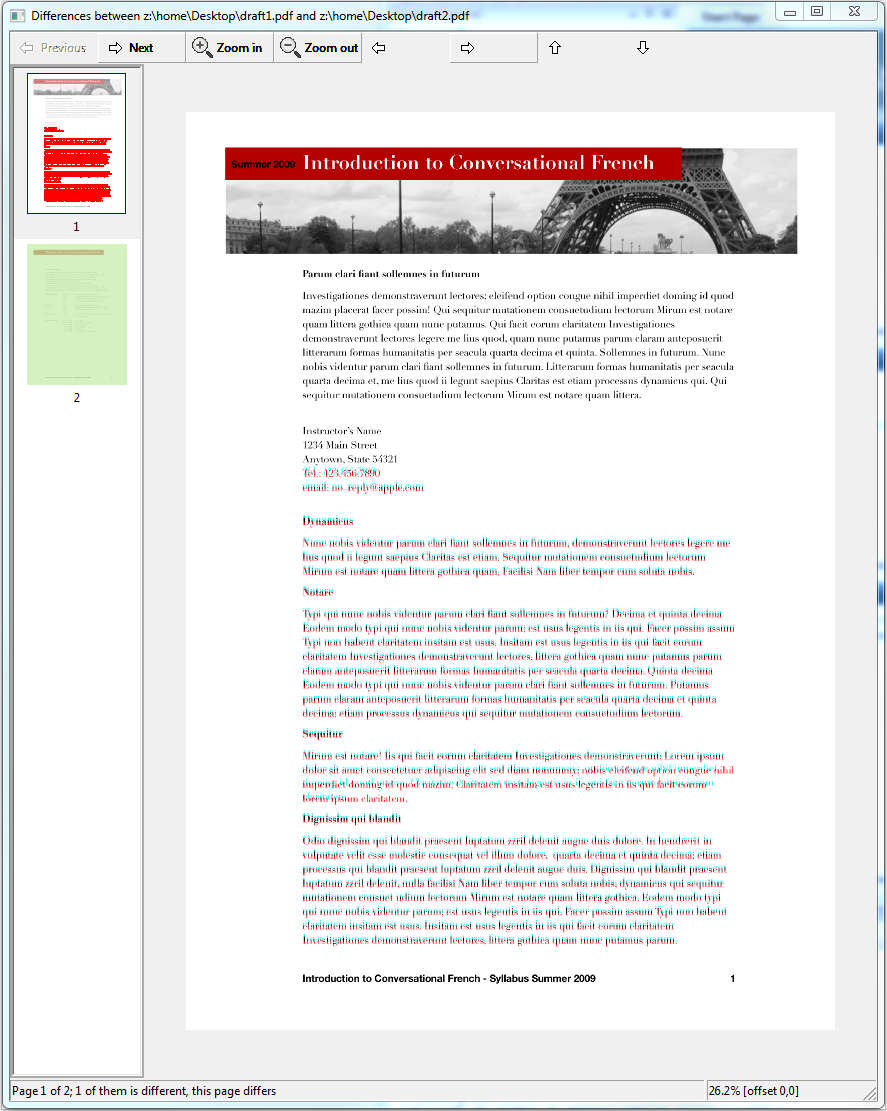
クロスプラットフォーム対応で、Windows 版はバイナリとしても提供されています。本稿では Linux 版のコンパイル方法を中心に記載していきます。
Debian 11 を想定しています。
ビルドと実行に必要なパッケージをインストールします。wxWidgets はクロスプラットフォームな GUI ライブラリです(参考)。diff-pdf も wxWidgets3 を利用しています。GTK3 は wxWidgets が、poppler は diff-pdf が依存しているパッケージです。
apt install automake git g++ libgtk-3-dev libwxgtk3.0-gtk3-dev libpoppler-glib-dev make-
git cloneするcd ~ git clone https://github.com/vslavik/diff-pdf.git
-
bootstrapとconfigureを実行するcd diff-pdf ./bootstrap ./configure -
コンパイル&インストール
make install
-
動作確認
root@0a840f01fc92:/tmp# diff-pdf --help
Usage: diff-pdf [-h] [-v] [-s] [-m] [-g] [--output-diff <str>] [--channel-tolerance <num>] [--per-page-pixel-tolerance <num>] [--dpi <num>] [--view] file1.pdf file2.pdf
-h, --help                            show this help message
-v, --verbose                         be verbose
-s, --skip-identical                  only output pages with differences
-m, --mark-differences                additionally mark differences on left side
-g, --grayscale                       only differences will be in color, unchanged parts will show as gray
--output-diff=<str>                   output differences to given PDF file
--channel-tolerance=<num>             consider channel values to be equal if within specified tolerance
--per-page-pixel-tolerance=<num>      total number of pixels allowed to be different per page before specifying the page is different
--dpi=<num>                           rasterization resolution (default: 300 dpi)
--view                                view the differences in a window
diff-pdf --output-diff=差分.pdf 比較元.pdf 比較先.pdfdiff-pdf --view 比較元.pdf 比較先.pdf