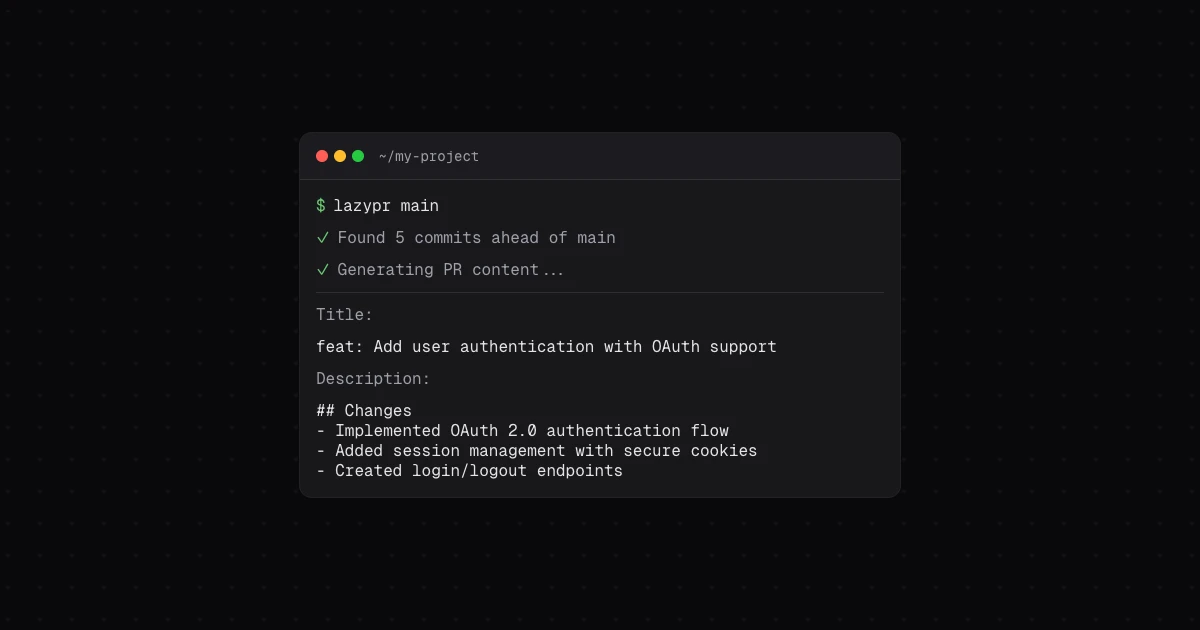


Generate clean, consistent PRs from commits - powered by AI and your git history.
- Multi-provider AI: Groq, Cerebras, Google Gemini, and OpenAI-compatible APIs
- Smart commit filtering: Excludes noise commits
- PR template support: Use your existing templates
- GitHub CLI integration: Generate
gh pr createcommands - Multilingual: 12+ languages supported
- Custom context: Guide AI generation style
npm install -g lazyprRequires Node.js >= 22. See installation guide →
-
Configure interactively (recommended for first-time setup):
lazypr config
This opens a guided menu where you can pick provider + model together and enter your API key with masked input (never echoed to terminal or shell history).
Or use scriptable commands for CI/dotfiles:
lazypr config set GROQ_API_KEY=<your-key>
-
Generate a PR:
lazypr              # compares against main
lzp                 # short alias
lazypr develop      # compare against different branch
Complete quick start guide → | Usage examples →
lazypr supports two configuration flows that work alongside each other:
lazypr config # opens a Clack-powered interactive menuThe interactive menu lets you:
- Pick provider + model together with a combined selector (Groq, Cerebras, Google, OpenAI, or custom/local)
- Enter API keys with masked input — keys are never echoed to the terminal or shell history
- Configure locale, default branch, context, commit filtering, custom labels, retries, and timeout
- View the current config with secrets masked
lazypr config set KEY=VALUE    # Set configuration
lazypr config get KEY          # Get configuration
lazypr config remove KEY       # Remove configuration key
lazypr config list             # Show all settings
Examples:
# Set API keys (key is visible in shell history — use interactive flow to avoid this)
lazypr config set GROQ_API_KEY=<key>

# Switch provider and model
lazypr config set PROVIDER=google
lazypr config set MODEL=gemini-3.5-flash

# Use a local/custom model with OpenAI-compatible API
lazypr config set PROVIDER=openai
lazypr config set OPENAI_BASE_URL=http://localhost:11434/v1
lazypr config set MODEL=llama3.2

# View config
lazypr config list
Common settings:
PROVIDER- AI provider (groq,cerebras,google, oropenai)GROQ_API_KEY/CEREBRAS_API_KEY/GOOGLE_GENERATIVE_AI_API_KEY/OPENAI_API_KEY- API keysLOCALE- Output language (en,es,pt,fr, etc.)MODEL- AI model to use (any non-empty string; custom/local model IDs supported)FILTER_COMMITS- Smart commit filtering (trueorfalse)CONTEXT- Custom guidance for AI generationOPENAI_BASE_URL- Custom endpoint for OpenAI-compatible APIs (Ollama, LM Studio, etc.)
View all settings → | Configuration examples →
- Smart Commit Filtering - Automatically excludes merge commits, dependency updates, and formatting changes
- PR Templates - Use your existing
.githubtemplates - GitHub CLI Integration - Generate
gh pr createcommands - Multilingual Support - 12+ languages available
- Context Guidance - Customize AI generation style
- GitHub Actions - Automate PR generation in CI/CD
- OpenAI-Compatible APIs - Use local providers (Ollama, LM Studio) or third-party services
lazypr [target] [options]

Options:
  -t, --template [name]      Use a PR template
  -l, --locale <language>    Output language
  -c, --context <text>       Custom AI guidance
  --gh                       Generate gh pr create command
  --no-filter                Disable smart filtering
  -u, --usage                Show token usage
-h, --help Display helpbun install # Install dependencies
bun test # Run tests
bun run build # Build for productionUses Bun for development, Node.js >= 22 for runtime.
Issues and PRs are welcome. Open one on the repository’s Issues page.
MIT © Raul Carini. See the LICENSE file for details.