




A tool to generate UML diagrams from Protobuf compiled Python modules.
Note
This tool expects compiled Python protobuf modules (*_pb2.py). Install protoc separately if you need to compile .proto files.
Generate a UML diagram from a compiled protobuf module:
protobuf-uml-diagram --proto "cylc.flow.ws_messages_pb2" --output /tmp/Example logging output:
INFO:protobuf_uml_diagram:Imported: cylc.flow.ws_messages_pb2
INFO:protobuf_uml_diagram:Writing diagram to /tmp/ws_messages_pb2.png
Example output:
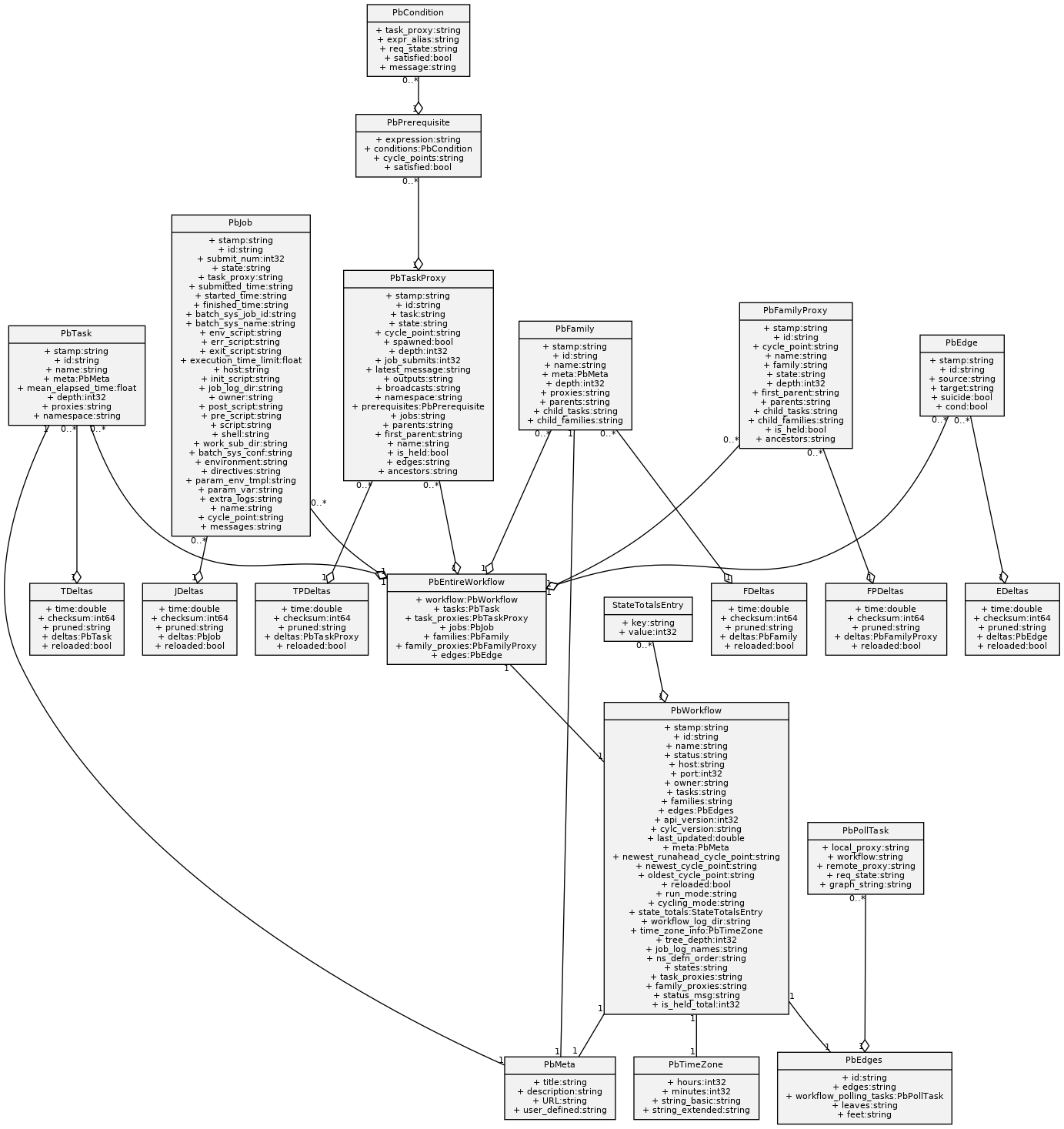
pip install protobuf-uml-diagram- Python >= 3.10
- protobuf >= 7.35.1
- Graphviz installed on the system
Given a protobuf definition:
file issue_10.proto
issue_10.proto: ASCII text
Compile it:
protoc --python_out=./ issue_10.protoGenerate the UML diagram:
PYTHONPATH=. protobuf-uml-diagram --proto issue_10_pb2 --output /tmpExample output:
INFO:protobuf_uml_diagram:Imported: issue_10_pb2
INFO:protobuf_uml_diagram:Writing diagram to /tmp/issue_10_pb2.png
Open the generated image:
eog /tmp/issue_10_pb2.pngThe result should look like:

By default, diagrams use the full name of types (for example, SomeRequest.shipments).
You can use shorter field names with:
PYTHONPATH=. protobuf-uml-diagram \
    --proto issue_10_pb2 \
    --output /tmp \
    --full_names=false
Warning
Using shorter names can make diagrams ambiguous when different fields have the same name but represent different concepts. See #10 and #78.
Example output:

The Docker image can generate UML diagrams directly from .proto files.
Build the image:
./dockerbuild.shRun it:
./dockerrun.sh <path_containing_proto_files> <output_path>The container:
- Compiles the
.protofiles usingprotoc - Generates Python protobuf modules
- Produces PNG and SVG UML diagrams
Clone the repository:
git clone https://github.com/kinow/protobuf-uml-diagram.git
cd protobuf-uml-diagram
Install development dependencies:
pip install -e ".[all]"Run tests:
pytestRun type checks:
mypy .[protobuf_uml_diagram.py](protobuf_uml_diagram.py)If this project is useful to you, you can support it:


Apache Licence 2.0